This is the complete training from our live MCP webinar with Flowhub CEO Kyle Sherman and Head of Product Strategy Ryan Budny, rewritten so you can follow along yourself. Every prompt from the live demo is included below, ready to copy and paste.
One note before you start: AI is improving at a remarkable pace, so treat this as a snapshot of what was possible in July 2026. If you're reading this later, the tools have only gotten better.
Prefer to watch? The full recording is here.
What you'll learn
- How to connect Flowhub to Claude (or any AI tool) in about two minutes
- The exact prompts from the live demo, from sales analysis to creating a deal
- How the built-in guardrails keep your data and your store safe
- Six starter prompts to get your first win in five minutes
- Answers to the most-asked audience questions: privacy, accuracy, and cost
When we kicked off the live session with a quick poll, 49% of attendees had never heard of an MCP connector, and only 2% considered themselves pros. If that's you, you're in the right place. By the end of this post you'll be able to ask AI questions about your business and have it take real action in your store, using nothing but plain language.
First, what is the Flowhub MCP server?
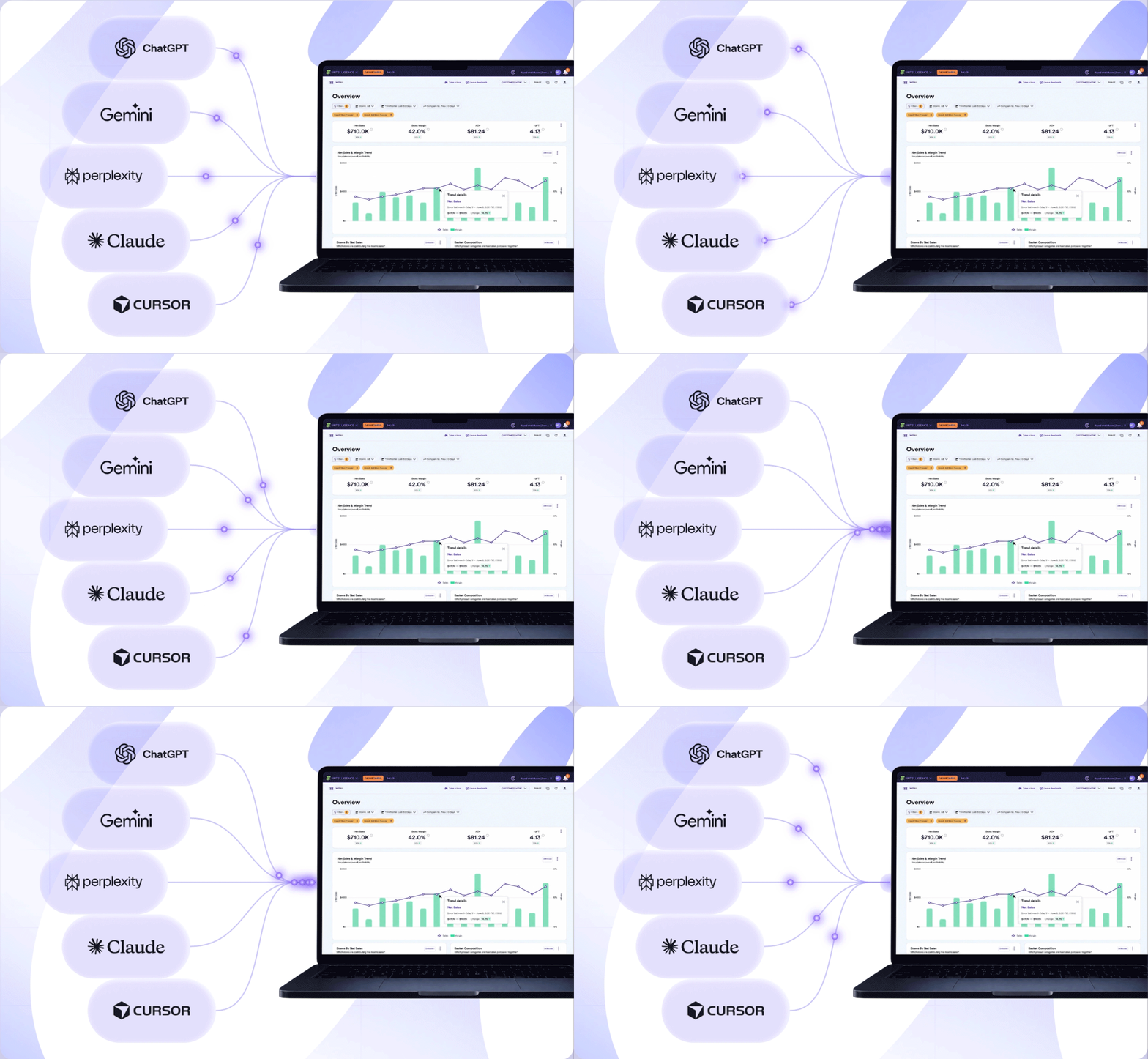
MCP stands for Model Context Protocol, an open standard introduced by Anthropic. The Flowhub MCP server connects your Flowhub account to the AI tool you already use, whether that's Claude, ChatGPT, Gemini, or Cursor. Once connected, you can do two things:
Recommended reading
How AI Is Changing Cannabis Retail
Ask questions. Examples: Compare this Wednesday's sales to the same Wednesday last year. Find out what inventory expires in the next 60 days and get advice on how to move it before it does.
Take action. Examples: Move stock between rooms, update batches, adjust prices, and create deals. Better yet, combine the two: ask AI to find slow-moving inventory, recommend deals that protect your margin, and then set those deals up across every location that carries the product.
This is what people mean by “agentic” AI. Think of yourself as the conductor of an orchestra: you direct the work, and the agents play the instruments. You're no longer the one clicking through software to do the busy work.
“You gotta think about these as digital employees now that work 24/7. You can be in bed, chatting with your Flowhub data at night on your phone in the Claude app.”
— Kyle Sherman, Founder & CEO, Flowhub
Your first 10 minutes: connect and run your first prompt
This was a follow-along training, so follow along. Here's the full path from zero to your first result, using Claude (the tool used in the live demo):
- Open Claude and go to Customize Connectors, then Add Custom Connector
- Name the connector “Flowhub MCP”
- Enter the server URL: https://mcp.flowhub.com
- Click Connect and sign in with your existing Flowhub username and password
- Pick a capable model (the demo used Opus; more on model choice below)
- Run your first prompt:
Copy and paste the prompt below
Confirm you're connected to Flowhub and tell me which store you're looking at.
The AI will look up the Flowhub tools, confirm the connection, and tell you your active store. That handshake matters: your AI can only see and do what your Flowhub user permissions allow, so if something seems missing, check your permissions with your admin.
Note on model choice: Cheaper models like Haiku or Sonnet are fine for simple data pulls, but for anything involving reasoning (forecasting, deal strategy, margin analysis), use a frontier model like Opus. Match the model to the task. We always recommend using the most capable AI model available. New ones are releasing at a unprecedented pace!
The training: 5 prompts from analysis to action
Here's the exact sequence from the live demo, run on a demo store. Each prompt builds on the last, taking you from reading your data to changing it. Run these against your own store and you'll get results tailored to your business.
Step 1: Analyze a big sales day
Copy and paste the prompt below
Look at my sales data for 7/10 compared to my best Fridays over the last few months.
What happens: Within moments you get gross sales, net sales, net profit, and average cart size for each day, in a comparison table. No report-building, no export, no spreadsheet. Want new-customer counts added? Just ask. The columns are whatever you want them to be.
Step 2: Ask a question a report can't answer
Copy and paste the prompt below
What deals may have helped my previous Fridays be more like 7/10?
What happens: This is where it clicks. Answering this without AI means aggregating reports for hours. In the live demo, the AI dug through the store's entire deal library and came back with a diagnosis you'd expect from a seasoned analyst:
“Your deal library is lopsided toward the wrong lever. Of the 72 active deals, 31 are flat percent off cart… Flat cart discounts erode margin without pushing anyone to buy more. They're the opposite of what made 7/10 big.”
— Claude, analyzing the demo store's deal library live
Nobody asked it to audit the deal library. It decided that was the best way to answer the question, which is exactly the kind of thinking you're paying a frontier model for.
Step 3: Find your slow movers
Copy and paste the prompt below
Give me a straightforward analysis of sales velocity to identify my slowest moving items.
What happens: You get a ranked breakdown of what's not moving, with context on inventory age and on-hand cost. This sets up the next step, which is where reading your data turns into acting on it.
Step 4: Have AI recommend a deal, then create it
Copy and paste the prompt below
What deal would you recommend for one of these items that would have the most positive impact on revenue?
What happens: In the demo, the AI recommended a 20 to 25% discount on a slow-moving concentrate. But look at what came with it: the exact cost of the on-hand inventory, the age of that inventory, and reasoning for why the discount wouldn't degrade margin. None of that was asked for. It just knew it was relevant to the decision.
Then it asked for permission. Every action to your store requires an explicit green light, and before creating the deal, the AI also checked for conflicting existing discounts on its own. One approval later, the deal was live in production: 20% off, a two-week test, auto-applying for both med and rec. It even offered, unprompted, to alert the team in two weeks with results.
“Just a few weeks ago, you would have had to have a human sit down and be like, let me figure out what deals I need to create and build them in Flowhub… And now AI can just do it for you! How freaking cool is that?”
— Kyle Sherman, Founder & CEO, Flowhub
Step 5: Forecast the impact, then make a bulk price change
Copy and paste the prompts below
What would you forecast the impact of that deal will be on revenue?
I'd like to adjust some prices for my [product line]. Ensure revenue is maximized with your suggestions.
What happens: On the forecast, the demo account's answer was refreshingly honest: “modest and highly uncertain,” because the demo store had thin sales history. With years of your real data behind it, forecasts get far more confident. On the price change, the AI analyzed all six variants of an edibles line, recommended a $21 out-the-door price, made the change on approval, and then verified its own work, confirming the update landed exactly as intended. Finding the revenue-maximizing price is a problem Flowhub had considered building a whole tool for. AI solved it, and the MCP server puts it in your hands.
“Imagine if you just had a ridiculously smart friend who was really fast at clicking around the Flowhub app that you could just talk to and have do anything you want. Go look at all my data, pour over it all, I need a result in 30 seconds.”
— Ryan Budny, Head of Product Strategy, Flowhub
Try these prompts today
Beyond the demo sequence, here are starter prompts drawn from the training. Pick one and run it in your first five minutes:
Look at my inventory and tell me what's about to expire in the next 60 days. Give me advice on how to move that product.
Show me gross sales for my [location] store, last 30 days, by category.
Which of my current deals aren't actually increasing sales velocity?
Compare this Wednesday to the same Wednesday last year. What do you make of the difference?
Find inventory that's been sitting around a long time and recommend deals to get it moving without giving up margin.
Notice the pattern: specific beats vague. “Gross sales for my Denver store, last 30 days, by category” beats “show me sales.” Give AI context the way you'd brief an employee. You wouldn't send them off on a mission with nothing to go on.
Where this really gets powerful: connecting your whole stack
Flowhub is one connector. Your AI can hold several at once, and that's where the workflows get remarkable:
- Meeting transcripts: Connect a transcription tool like Granola and ask: “Go over all the deals we talked about in yesterday's marketing meeting and create them for me. Warn me if you think any of them are bad ideas based on my data.” It will build every deal from the meeting and flag the ones it disagrees with, before anything goes live.
- Google Drive and QuickBooks: Pull in labor costs, spreadsheets, and accounting data so AI can synthesize across your entire business, including staffing decisions.
- Custom AI advisors: Use Claude Projects to build an agent with standing instructions, like a financial advisor that knows your two-year goals and analyzes every question through that lens. Don't want to write the instructions? Ask Claude to write them for you.
- Scheduled automations: Set recurring tasks, like a daily 3 p.m. report emailed to you as a PDF, or an automatic alert when an inventory discrepancy is submitted or an incoming cost threatens margin.
- Bulk updates via CSV: Have AI generate a CSV of product updates (descriptions, image URLs) and upload it through the MCP server.
- Switching to Flowhub? Upload historic sales data from your current POS and AI will analyze it right alongside your Flowhub data. No gap in your insights during the transition.
"You can connect to MCP and it becomes your central hub, and your agents will go off and use all these connected tools at the same time and use your software on your behalf. It is miraculous that we can do this in 2026.”
— Kyle Sherman, Founder & CEO, Flowhub
Your questions, answered
Is my data being shared with the AI company?
Can the AI mess up my store?
The guardrails are layered. The AI has exactly your Flowhub permissions, nothing more. Every write requires your explicit approval before it happens. All the same compliance validation that protects the Flowhub app applies to the MCP server, so there's no direct database access. If something does go wrong, you can ask the AI to reverse the change.
What about AI hallucinations?
AI hallucinations are rarer on today's frontier models, and dramatically better than even a few months ago. But model choice matters: cheaper models are weaker reasoners. Use the most capable model available for anything important, review before approving, and bring your own judgment. You're the conductor.
Can it see my customers' personal information?
No. The MCP server is locked down against sharing personally identifiable information. It's built for summarizing your business data, not analyzing individual customers.
How much does this cost in tokens?
Less than you'd think. Everything in the live demo fit comfortably within a standard subscription's included usage. You could run prompts like these for a week straight without hitting limits on a Pro plan. The scary “$200K per month” AI bills you hear about are large companies running custom API automations, which is a different world entirely.
Who gets blamed when AI changes something?
You do, in a good way: every change made through the MCP server shows up in your Flowhub activity feed under your name, exactly as if you'd made it in the app. Full traceability, same as always.
What if my AI doesn't use Flowhub when I ask?
Occasionally you need to invoke it directly. Just start your prompt with “Using Flowhub…” and it will reach for the right tools.
The bottom line
When attendees were polled at the end of the session, 98% said the training was valuable. But the real measure is what you do next.
The tools are ready, the guardrails are in place, and your competitors may already be experimenting. Connect your AI to https://mcp.flowhub.com, run the first prompt above, and see what your data has been waiting to tell you.
More resources
- Watch the full webinar recording
- Press release: Flowhub Launches MCP Connector
- How AI Is Changing Cannabis Retail
- Flowhub Help Hub (setup details and the full list of MCP tools)
- What is the Model Context Protocol? (Anthropic)
- Download Claude